


Steady OMS – CAFM/CMMS Software
Steady OMS is a Computer-Aided Facility Management (CAFM) and Computerized Maintenance Management System (CMMS) for managing assets, facilities, and operation and maintenance services. It is an integrated, bilingual platform that brings together asset management, work order management, corrective and preventive maintenance, spare parts and warehouse management, procurement, contract and subcontract management, and space management with configurable, role-based dashboards and performance indicators.






























How Steady OMS connects your operations
The modules work from the same records. A service request becomes a work order, closing it adds to the asset’s maintenance history, and that history feeds the indicators on management dashboards. Parts issued and purchases received against a work order carry their cost to the right asset, location or cost center, and operating contracts keep budgets, consumed amounts and monthly abstracts together.
- Asset record: location, cost history, warranties and maintenance history.
- Work order: request, approval, assignment and closure.
- Parts and purchasing: issue vouchers and receipts linked to the job.
- Contracts and people: contractor, technician time and evaluations.
- Dashboards and reports: indicators built from the recorded work.
Who uses Steady OMS?
- Facility management and O&M service companies running many sites, contracts and subcontractors.
- Hospitals and healthcare facilities maintaining medical equipment and clinical engineering assets.
- Industrial plants and operations that need higher equipment uptime.
- Commercial organizations with many facilities, buildings or equipment.
Steady OMS management capabilities
- Asset Management Asset records and profiles with location, cost history and warranties, tracked across the lifecycle: planning and acquisition, delivery and incoming inspection, inventory and documentation, installation and commissioning, performance monitoring, maintenance history and replacement planning. Assets can carry system-generated barcodes or QR codes.
- Work Order Management Service requests, approval, prioritization, scheduling and technician assignment for corrective maintenance, with work documentation, time tracking and a complete history for every closed work order.
- Preventive Maintenance Management Preventive maintenance plans with automatic PM job generation, checklists, inspection records and PM performance monitoring.
- Spare Parts & Warehouse Management Spare parts inventory across multiple warehouses, stock balances and item movements, reorder-level monitoring, serial or batch tracking, supplier information and inventory reports.
- Procurement Management Purchase requisitions, supplier quotations, RFQ and RFP steps, purchase orders with approval workflows, receipt of goods and services, cost allocation, invoice matching and procurement status.
- Contract & Subcontract Management Contract records, subcontract administration, contract costs compared with budgets, contractor information and contractor evaluation.
- Project Management Project timelines and milestones, task assignment, resource and workload planning, budgeting, progress monitoring and project cost analysis.
- Installation Planning Installation schedules by activity phase, with responsibilities, project participants and key contacts recorded for each installation.
- Quality Assurance Quality criteria and evaluation, daily issues, customer complaints, defect and occurrence reports, quality committees and quality indicators.
- Human Resources & Service Evaluation Employee, technical, service provider and contractor evaluation, training requests and schedules, training performance and certification records.
- Facility Management (CAFM) One location structure from site and building to floor, department and room, work requests across many buildings, and site dashboards that compare performance across locations.
Space management
Interactive maps take you from a site to its buildings, floors, departments and rooms. Each area shows its work orders, assets and occupancy; hovering shows the details, and the work-orders report for any area can be printed, exported or saved as PDF. Spaces can be assigned to departments or cost centers, so maintenance and service costs are allocated by space.
The Space Management System in OMS Exp also compares actual with planned space use, controls relocations and layout changes through an approval workflow with audit trails, and provides dashboards for utilization, space efficiency and cost per area. IoT and CAD/BIM connections are defined in each project’s scope.
See the full Space Management System section below.
Work order lifecycle
Work orders carry priority classes and tolerance periods, so downtime is measured against the accepted limit, and managers are notified automatically about high-risk equipment and urgent requests. Read work requests vs work orders.
- Request and approval: a service request is logged and approved.
- Assignment: the work order is prioritized, scheduled and sent to the right technician.
- Execution and documentation: the technician records the work, time, comments and photos.
- Closure: the closed work order joins the asset’s maintenance history.
- Reporting: closed work feeds downtime analysis, KPIs and reports.
Preventive maintenance management
PM jobs are generated automatically from maintenance plans at daily, weekly, monthly, two-monthly, quarterly, four-monthly, semi-annual and annual frequencies, with standard PM checklists and inspection records. Reminders go out before inspections fall due, delayed jobs can be rescheduled, and every completed job is added to the asset’s maintenance history.
The PM performance meter shows how preventive maintenance is being executed, and PM compliance shows whether planned jobs are carried out on schedule. Definitions and targets follow each organization’s requirements. Read preventive vs corrective maintenance.
Operational and financial control
Contracts, purchasing, spare parts and costs are controlled in the same system as the work they support, so each one can be traced back to the job, asset or contract it belongs to.
| Area | What Steady OMS controls |
|---|---|
| Contracts and subcontracts | Buy and sell subcontracts, contract cost against budget, PM scheduled for equipment during the contract period and contractor evaluation. The Operation module tracks operating-contract budgets, consumed and remaining, by region, city, site and contractor, and generates the Ministry of Health monthly abstract forms in the required Arabic format. |
| Procurement | Purchase requisitions raised from work orders, PM plans or service requests, compared supplier quotations, purchase orders approved through workflows with an audit trail, and receipts recorded against the work order. |
| Spare parts and warehouses | Issue vouchers linked to corrective work orders and PM jobs, stock balances across warehouses and reorder levels, so material is available for planned work. |
| Costs | Labor, parts, repair and PM costs allocated to the right asset, location or cost center, for review against asset cost and contract budgets. |
CMMS, CAFM, EAM and OMS
These terms overlap. A CMMS focuses on maintenance execution: work orders, preventive maintenance, spare parts and maintenance history. CAFM adds the facility side: spaces, buildings, services and occupancy. EAM takes a lifecycle view of physical assets. An OMS combines maintenance management with the operational side: contracts and subcontractors, service-provider and staff evaluation, and operational KPIs across sites. Steady OMS covers the CMMS core and the CAFM functions above in one system. For a broader introduction, read what an OMS system is or OMS vs CMMS.
Steady OMS plans
Steady OMS is available in three plans. OMS Plus covers the index file, asset management, work orders and repairs, preventive maintenance and stock control. OMS Prof adds purchasing and sub-contracts. OMS Exp adds the operation module, quality assurance and KPIs, live dashboards, cost control, equipment tracking, employee, service-provider and end-user evaluation, project management, space management and more. Compare the plans below.
Built for Saudi organizations
- Developed by Steady Solutions, a Saudi company building operations software since 2014, with systems delivered across more than 100 sites.
- Native Arabic and English support: Steady OMS is designed for both languages throughout the system, starting from the login screen, rather than relying on automatic translation. System-generated reports also support both languages.
- Ministry of Health operating-contract forms and KPIs in Arabic report format.
- Web, cloud or local-network deployment.
- Steady OMS, Steady ERP and Steady HIS share one platform, so finance, HR or hospital modules can be added later without a second system.
AI in Steady OMS – CAFM/CMMS: Intelligent Facility Management & Predictive Maintenance
Artificial Intelligence (AI) in Steady OMS – CAFM/CMMS supports smarter facility operations and maintenance by enabling predictive analysis, automated workflows and data-driven decision-making within a computer-aided facility management (CAFM) environment.
By connecting operational information across assets, equipment, work orders, maintenance history, spaces, services and resources, AI capabilities help organizations identify potential problems, improve planning, optimize operations and make better-informed management decisions.
Key AI capabilities
- Predictive maintenance AI analyzes historical work orders, equipment performance, maintenance records and available sensor data to identify patterns that may indicate potential equipment failures. This supports proactive maintenance scheduling, helps reduce unexpected downtime and contributes to improved asset reliability and lifecycle management.
- Intelligent work order management AI supports automatic classification, prioritization and routing of maintenance requests based on request urgency, asset criticality, operational risk and Service Level Agreement (SLA) requirements. This helps maintenance teams focus on high-priority issues and improve response efficiency.
- Smart resource planning AI supports optimized planning and allocation of maintenance technicians, work assignments, spare parts, maintenance schedules and available operational resources. The objective is to improve productivity, resource utilization and maintenance response times.
- Space and occupancy analytics AI analyzes occupancy information and space utilization patterns to support better facility planning. It can help identify underutilized spaces, evaluate capacity requirements and recommend improvements to space allocation.
- Energy and sustainability optimization AI analyzes energy consumption patterns to identify anomalies and recommend efficiency improvements. These insights can support more efficient facility operations, reduced energy waste and sustainability planning.
- AI-powered dashboards and insights AI-supported dashboards provide management with operational insights, performance trends, data-driven recommendations, maintenance performance analysis, resource utilization insights and information supporting operational decisions, translating complex operational data into actionable management information.
- Chatbots and virtual assistants AI-powered virtual assistants can support facility users, maintenance personnel and service teams with service request assistance, work order status tracking, access to operational information, knowledge retrieval and technician support.
- Document and image intelligence AI can extract and process information from maintenance manuals, service contracts, supplier invoices, technical documentation and inspection images. This supports faster information processing and improved access to operational documentation.
AI integration within Steady OMS – CAFM/CMMS
AI engines may be embedded in or integrated with the following operational data and systems:
- Work orders and maintenance history
- Asset lifecycle and equipment condition records
- Space and occupancy information
- Procurement and inventory modules
- IoT and Building Management Systems (BMS)
Actual integration requirements and availability depend on the deployed configuration. Predictive insights complement, rather than replace, a planned preventive and corrective maintenance program.
Business benefits of AI-powered facility management
AI capabilities are designed to help organizations:
- Reduce unplanned equipment downtime.
- Extend asset lifecycle through improved maintenance planning.
- Improve service delivery and SLA compliance.
- Optimize maintenance and operational resources.
- Identify potential cost-saving opportunities.
- Improve management decisions through predictive insights.
Where AI-powered CAFM can be applied
Examples of relevant environments include:
- Hospitals and healthcare facilities
- Airports and transportation facilities
- Stadiums and large campuses
- Government facilities and public-sector assets
- Smart buildings and cities
- Large multi-site facilities
Which AI capabilities apply, the data they use and the integrations they rely on depend on each organization’s deployed configuration and are agreed during project scoping.
Explore AI in Steady OMS – CAFM/CMMS
Talk to our team about which AI capabilities, data sources and integrations fit your facilities and maintenance operations.
Space Management Software for Smarter Facility Planning & Occupancy Management
Steady OMS Space Management System is a facility management capability designed to organize, allocate, monitor and optimize physical spaces across buildings and facilities. Operating within the OMS – CAFM/CMMS environment, it connects space information with assets, maintenance activities, operational services and facility-related costs.
It enables organizations to manage space records through a centralized structure and supports better planning and operational control.
Key space management capabilities
- Centralized space database Maintain a structured database of physical spaces, including sites, buildings, floors, rooms, zones and functional areas. These records are connected within the OMS facility hierarchy, providing a consistent structure for space and location management.
- Space allocation and ownership Assign individual spaces to organizational departments, business functions, cost centers, tenants and responsible operational units. Space ownership and allocation can be synchronized with relevant organizational records.
- Occupancy and utilization tracking Monitor actual versus planned space utilization using available information from manual occupancy records, OMS operational data and integrated IoT systems. This supports the identification of underutilized spaces and improved capacity planning.
- Floor plans and visual management Support space visualization using integrated CAD/BIM-based drawings within the CAFM environment, providing a visual representation of spaces, layouts and related facility information while supporting updates to space records. CAD/BIM connections are defined in each project’s scope.
- Move, add and change (MAC) management Manage operational changes involving physical spaces, such as department relocations, room reallocations, layout modifications, space additions and changes in space function. These activities can follow controlled workflows with approvals and audit records.
- Compliance and capacity control Support monitoring of occupancy-related requirements associated with safety, security, capacity and applicable regulatory requirements. This helps organizations manage spaces in accordance with relevant occupancy and facility standards.
- Space management reporting and KPIs Provide reporting and dashboards for space utilization rates, occupancy levels, space efficiency, cost per area, space allocation and capacity planning. These indicators support operational and strategic facility decisions.
Facility space hierarchy in Steady OMS
Every space sits in one location structure. Each level carries its own records, and the assets, maintenance, services and costs recorded against a room or zone roll up to its floor, building and site.
- Site
- Building
- Floor
- Room
- Zone or functional area
Integration with maintenance and facility operations
The Space Management System links space records with daily operations:
- Assets and equipment Identify the equipment and assets associated with specific spaces.
- Preventive and corrective maintenance Connect maintenance activities to their corresponding physical locations.
- Service requests and work orders Associate requests and work orders with the affected rooms or spaces.
- Cleaning and soft services Link operational services and cleaning schedules with relevant locations.
- Cost allocation by space Associate maintenance, utilities and service costs with individual spaces.
Business benefits of space management
The module is designed to:
- Improve facility operational efficiency.
- Reduce underutilized space.
- Improve maintenance planning accuracy.
- Support capacity and expansion planning.
- Improve visibility into space-related operational costs.
- Establish a centralized source of information for spaces within OMS – CAFM/CMMS.
Space management for healthcare facilities
In hospitals and healthcare environments, space management can support the organization and monitoring of clinics, departments, patient rooms, medical service areas, administrative offices and supporting facilities.
By connecting these spaces to occupancy information, installed equipment, maintenance activities and operational records, facility managers can better understand how spaces are used and maintained. Read more about healthcare space management and CAFM and Steady OMS for healthcare facilities.
Space management within OMS EXP
Space Management is included in the Steady OMS EXP feature set. See the plan comparison below for the modules in each plan.
See Space Management in Steady OMS
Book a walkthrough of space records, occupancy tracking, space-linked work orders and cost allocation configured for your sites.
Index File

Asset Management
Work Orders & Repairs
Preventive Maintenance
Stock Control
Purchasing
Sub-Contracts
Project Management
Installation Planning
Operation Module
Training & Continuous Education
Quality Assurance & KPIs
Cost Control Analysis
Equipment Tracking
Employees Evaluation
Service Provider Evaluation
Maintenance Program Evaluation
End-user Satisfaction
Live Dashboard, Charts & Benchmarking
Space Management
Archiving
Clinical Engineering Learning
Compare Plans
-
Index File
-
Asset Management
-
Work Orders & Repairs
-
Preventive Maintenance
-
Stock Control
-
Index File
-
Asset Management
-
Work Orders & Repairs
-
Preventive Maintenance
-
Stock Control
-
Purchasing
-
Sub-Contracts
-
All PROF features +
-
Project Management
-
Installation Planning
-
Operation Module
-
Training & Continuous Education
-
Quality Assurance & KPIs
-
Cost Control Analysis
-
Equipment Tracking
-
Employees Evaluation
-
Service Provider Evaluation
-
Maintenance Program Evaluation
-
End-user Satisfaction
-
Live Dashboard, Charts & Benchmarking
-
Space Management
-
Archiving
-
Clinical Engineering Learning
Steady OMS Metrics & KPIs
Steady OMS turns recorded work into indicators that teams monitor on configurable dashboards. Each user builds a home dashboard from widget cards, and every widget keeps its own filters and dates. Reports can be built from the fields you select, exported or sent by e-mail, and notifications are sent automatically.
The groups below list the indicators in the Steady OMS KPI set; open an item to see what it covers. Indicators such as cycle time and cost savings apply to purchasing and to wider operations, and are listed once. Dashboards are configured per role, for example:
Executive management: Performance and cost visibility across sites.
Facility managers: Site operations, contracts and resource use.
Maintenance managers: Work orders, downtime and PM performance.
Warehouse managers: Inventory, reorder levels and stock movements.
Quality managers: Incidents, complaints and QA criteria.
These are configuration examples; dashboards, reports and KPIs are set up according to each organization’s requirements and plan. Read maintenance KPIs explained.
Quality Control
Quality assurance criteria, user errors, equipment incidents and failure records.

Defines the quality criteria used to assess work and services. Use it to apply consistent quality checks across sites and teams.
Records faults attributed to user error. Use it to identify where user training is needed.
Records incidents related to equipment. Use it to review recurring incidents and the assets involved.
Documents cases of equipment misuse. Use it to distinguish misuse from other causes when reviewing failures.
Tracks equipment reported as missing. Use it to follow up on asset availability and accountability.
Compares actual downtime with the accepted tolerance period. Use it to see which repairs exceeded the accepted limit.
Analyzes failures associated with preventive maintenance. Use it to review the effectiveness of the PM program.
Counts the failures recorded for each piece of equipment. Use it to identify assets with repeated failures.
Maintenance & Reliability
Equipment downtime, preventive maintenance performance, reliability, workforce load and maintenance cost.

Tracks maximum, minimum and average equipment downtime to understand maintenance performance and identify equipment requiring management attention.
Shows how preventive maintenance is being executed through the PM performance meter. Use it to follow PM execution across assets and sites.
A maintenance indicator in the Steady OMS KPI set, shown under its catalog abbreviation.
The average operating time between failures of an asset. Use it to compare equipment reliability.
Shows the workload assigned to maintenance staff. Use it to balance work across technicians and teams.
Compares maintenance cost with the cost of the asset. Use it to support repair-or-replace decisions.
Asset Criticality & Safety
Equipment classification, maintenance priority, tolerance periods, risk factors and power load.

Classifies equipment by class. Use it to identify the equipment that is most critical to operations.
Sets the priority of maintenance work, shown under its catalog abbreviation WOP. Use it to make sure urgent work is handled first.
The accepted time limit for the work. Use it to measure downtime against the agreed limit.
Records the risk factor of equipment. Use it to keep high-risk equipment under closer monitoring; managers are notified automatically about high-risk equipment and urgent requests.
Records the power load of equipment. Use it as an additional factor when assessing equipment criticality and safety.
Projects & Resources
Project delivery, hours, resource capacity, budget variance and customer feedback.

Shows the share of project work completed on schedule. Use it to monitor delivery against plan.
An estimate of the work remaining before a project is complete. Use it to plan the next stages; it is an estimate, not a guaranteed forecast.
Compares planned working hours with the hours recorded. Use it to spot tasks that take longer than planned.
Shows how much of the available resource capacity is in use. Use it to plan workload and resource allocation.
Compares the planned budget with actual cost. Use it to follow project cost against plan.
A customer satisfaction measure based on the Net Promoter Score method. Use it to follow how customers rate project delivery.
Records the number of errors logged during a project. Use it to follow delivery quality.
Records complaints received from customers. Use it to follow service quality and response.
Purchasing & Suppliers
Delivery reliability, purchasing cycle and price, supplier lead time, rejected items and savings.

Shows whether ordered goods and services arrive by the agreed date. Use it to evaluate supplier reliability.
Measures the time taken to complete the purchasing cycle. Use it to find delays in procurement and in the operations that depend on it.
Compares the price paid with the expected price. Use it to monitor purchasing cost.
The time a supplier takes to deliver after an order is placed. Use it to plan orders and stock levels.
The share of received items that are rejected. Use it to evaluate the quality of supplied items.
A staff learning and development measure listed in the catalog with this group. Use it to follow staff development; it is not a purchasing-efficiency metric.
Tracks the cost savings recorded in purchasing and operations. Use it to follow savings over time; it does not imply a guaranteed saving.
Operations & Contracts
Operating contracts, contract budgets, supply and inventory, high-risk equipment and site dashboards.

Follows operating contracts, including budgets consumed and remaining by region, city, site and contractor. Use it to manage contract delivery.
Compares contract cost with its budget. Use it to spot contracts running above budget.
Shows the status of supply and stock that operations depend on. Use it to follow material availability for planned work.
Brings high-risk equipment and urgent requests into one view. Use it to keep critical assets under closer follow-up.
Dashboards that compare operational performance across sites. Use them to see which locations need attention.
Performance Benchmarking
Comparisons across corrective maintenance, preventive maintenance, employees and service providers.

Benchmarks corrective maintenance (repair) performance. Use it to compare repair results and find areas that need improvement.
Benchmarks preventive maintenance performance. Use it to compare how PM programs are carried out.
Benchmarks employee performance. Use it together with periodic employee evaluations.
Benchmarks service providers. Use it together with service provider evaluations.
Performance Evaluation
Employee, service provider and contractor evaluation, end-user satisfaction, maintenance program evaluation and training.

Periodic employee assessment, including the E-360 evaluation technique and technical evaluation. Use it to compare performance and identify training needs.
Evaluates service providers on availability, response time, service speed, annual budget planning, disaster recovery planning, on-site maintenance support, reporting services and employee support.
Evaluates contractors as part of contract and subcontract management. Use it to review contractor performance.
Measured with the EUS, QES and NPS approaches. Use it to follow how users rate the service they receive.
Evaluates corrective and preventive maintenance performance, technician time, maintenance workload, program cost, resource allocation and maintenance effectiveness.
Training requests, schedules and performance, with certification records. Use it to follow staff training.
Inventory & Warehouses
Inventory movement, supplier quality and purchasing efficiency in the warehouse.

Compares recorded stock with actual stock. Use it to keep stock records reliable.
Measures the time taken to fulfil an order. Use it to find delays in the order process.
Shows whether items are picked correctly for each order. Use it to reduce issuing errors.
The share of items that are returned. Use it to investigate the causes of returns.
How much of the warehouse storage capacity is in use. Use it to plan storage space.
How often items are out of stock when needed. Use it to protect planned work from material shortages.
Follows items against their defined reorder levels. Use it to replenish stock in time.
The number of suppliers in use. Use it to review dependency on individual suppliers.
The share of supplied items found defective. Use it to compare supplier quality.
The rating a supplier receives through quality evaluation. Use it in supplier selection and review.
The share of purchases made on an emergency basis. Use it to see where better planning could reduce urgent buying.
How quickly stock is used and replaced. Use it to spot slow-moving items.
Identifies stock at risk of becoming obsolete. Use it to plan the use or disposal of slow-moving items.
Financial Performance
Asset value, workforce, repair, preventive maintenance and spare parts cost, and revenue growth. These indicators track cost; they do not imply a saving.

Records the cost of each asset. Use it as a reference when reviewing maintenance spend.
The depreciated value of the asset. Use it with maintenance cost in repair-or-replace decisions.
The labor cost of maintenance and operations work. Use it to see where labor is spent.
The cost of repairs. Use it to identify assets with high repair spend.
The cost of planned preventive work. Use it to review the cost of the PM program.
Parts issued against work orders and PM jobs. Use it to follow material cost by asset and plan stock.
Revenue growth, listed in the catalog cost group. Use it to view operating cost alongside revenue trends.
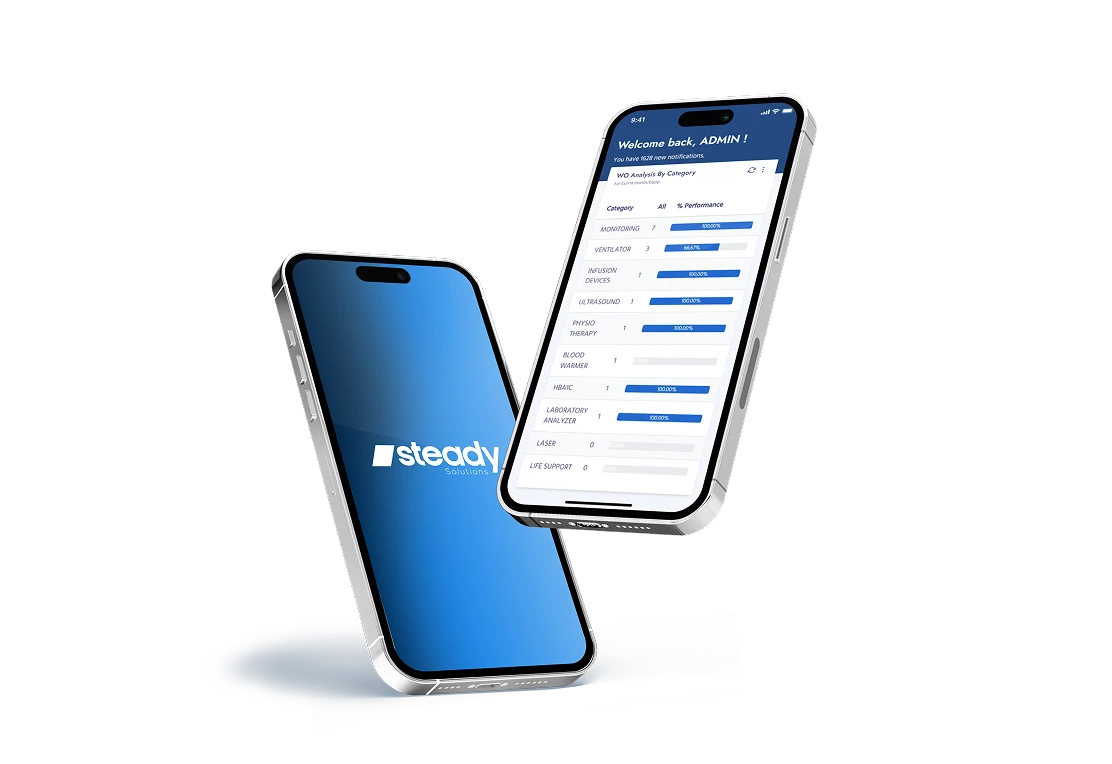
MOBILE
APPLICATION
(Members Only)
Technicians use the Steady OMS app for iOS and Android to open work orders and asset records in the field, scan an asset’s QR code or barcode, update the work order, add comments and photos, and log time with a built-in timer.
Updates stay attached to the work order, so the maintenance record is complete when the job is closed. The app also supports offline mode and voice input.



Explore system features
Download
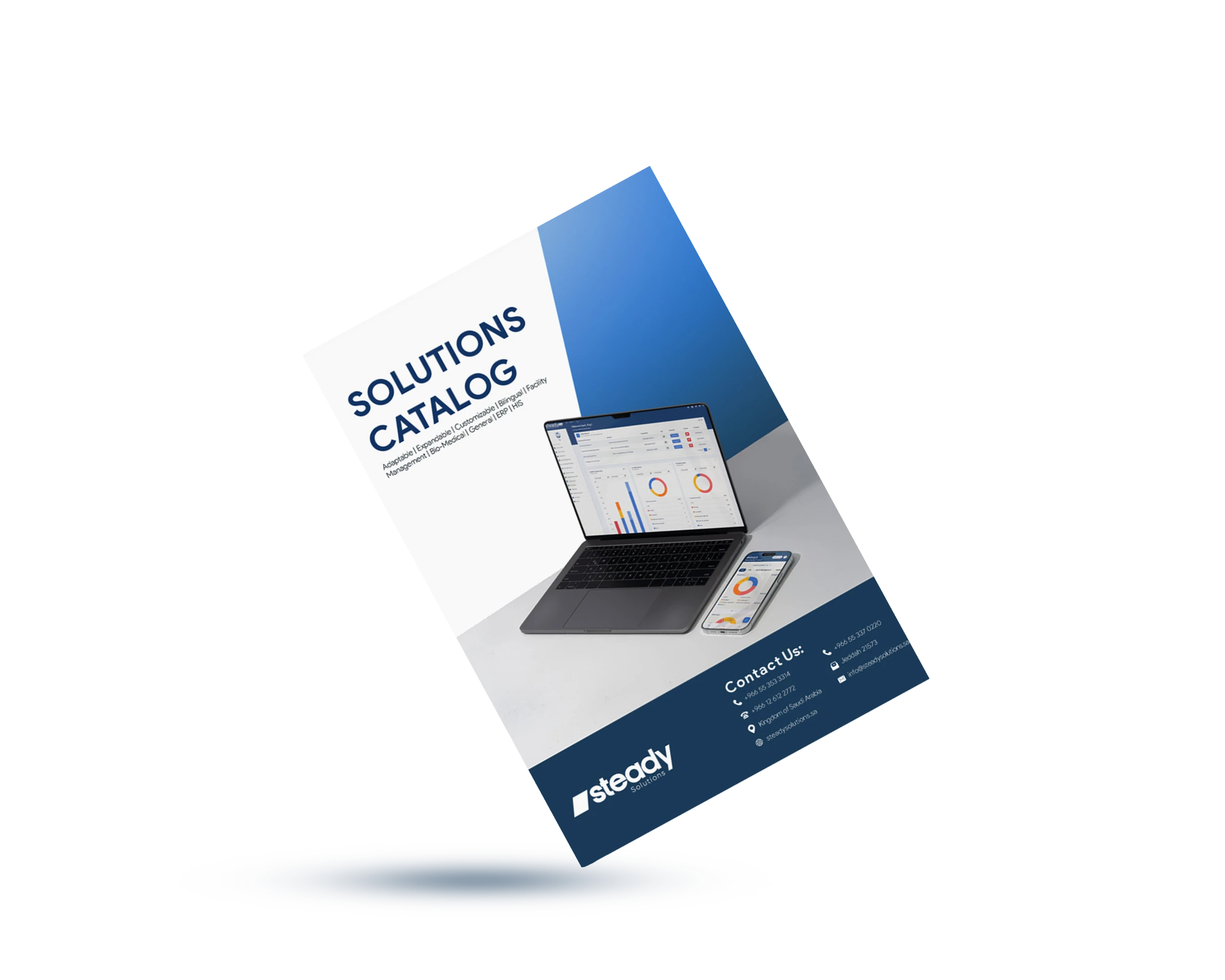
our catalog
Download the catalog to see every Steady OMS module, the Plus, Prof and Exp plans, and use cases.
Steady OMS: frequently asked questions
Steady OMS is a Computer-Aided Facility Management (CAFM) and Computerized Maintenance Management System (CMMS) for managing assets, facilities, and operation and maintenance services. It records an organization’s assets and manages the work that keeps them running, from requests and work orders to preventive maintenance, spare parts, contracts and performance indicators.
Purchasing and subcontracts start from OMS Prof. The operation module, quality assurance, KPIs, live dashboards, project management and space management are part of OMS Exp. The plan comparison on this page lists every module by plan.
Yes. The Steady OMS app is available on the App Store and Google Play and supports service requests, work orders, notifications, offline mode and speech-to-text input.
Yes. Users choose Arabic or English at the login screen, the system does not rely on automatic translation, and system-generated reports support both languages.
Yes. Each user’s home dashboard is built from the available widgets, and dashboards, reports, KPIs, notifications and workflows are configured according to each organization’s requirements and plan.
The KPI set is grouped into quality control, maintenance and reliability, asset criticality and safety, projects and resources, purchasing and suppliers, operations and contracts, performance benchmarking, performance evaluation, inventory and warehouses, and financial performance. The KPI section on this page lists the indicators in each group.
Yes. Steady OMS, Steady ERP and Steady HIS share one platform, so finance, HR or hospital modules can be added later without a second system.
AI in CAFM software uses operational data from assets, equipment, work orders, maintenance history, spaces, services and resources to support predictive analysis, automated workflows and data-driven decisions. In Steady OMS – CAFM/CMMS, AI capabilities can help identify potential problems, improve planning and optimize operations, depending on the deployed configuration.
AI analyzes historical work orders, equipment performance, maintenance records and available sensor data to identify patterns that may indicate potential equipment failures. This supports proactive maintenance scheduling, helps reduce unexpected downtime and contributes to asset reliability. The data sources used depend on the configuration and integrations in place.
It is a facility management capability within OMS – CAFM/CMMS for organizing, allocating, monitoring and optimizing physical spaces across sites, buildings, floors, rooms, zones and functional areas. Space records are connected with assets, maintenance activities, operational services and facility-related costs.
It provides a centralized source of space information, compares actual with planned utilization to help identify underutilized space, supports capacity and expansion planning, connects maintenance to the right locations and improves visibility into space-related operational costs.
Service requests and work orders are associated with the affected rooms or spaces, preventive and corrective maintenance is connected to physical locations, the assets in each space can be identified, and maintenance, utilities and service costs can be associated with individual spaces.
Yes. Space Management is included in the Steady OMS EXP feature set. The plan comparison on this page lists the modules in each plan.
See Steady OMS in action
Book a walkthrough of work orders, preventive maintenance, contracts, space maps and dashboards configured for your sites.